Stylometry gives us hard data. We get sentence length, word choice, and rhetorical moves. These are more precise than vague labels like "casual" or "bold."
But AI needs clear rules, not vague notes. A style spec bridges the gap. It turns our writing data into rules AI can follow.
This guide covers the full spec framework. We also walk through setup in Claude and ChatGPT.
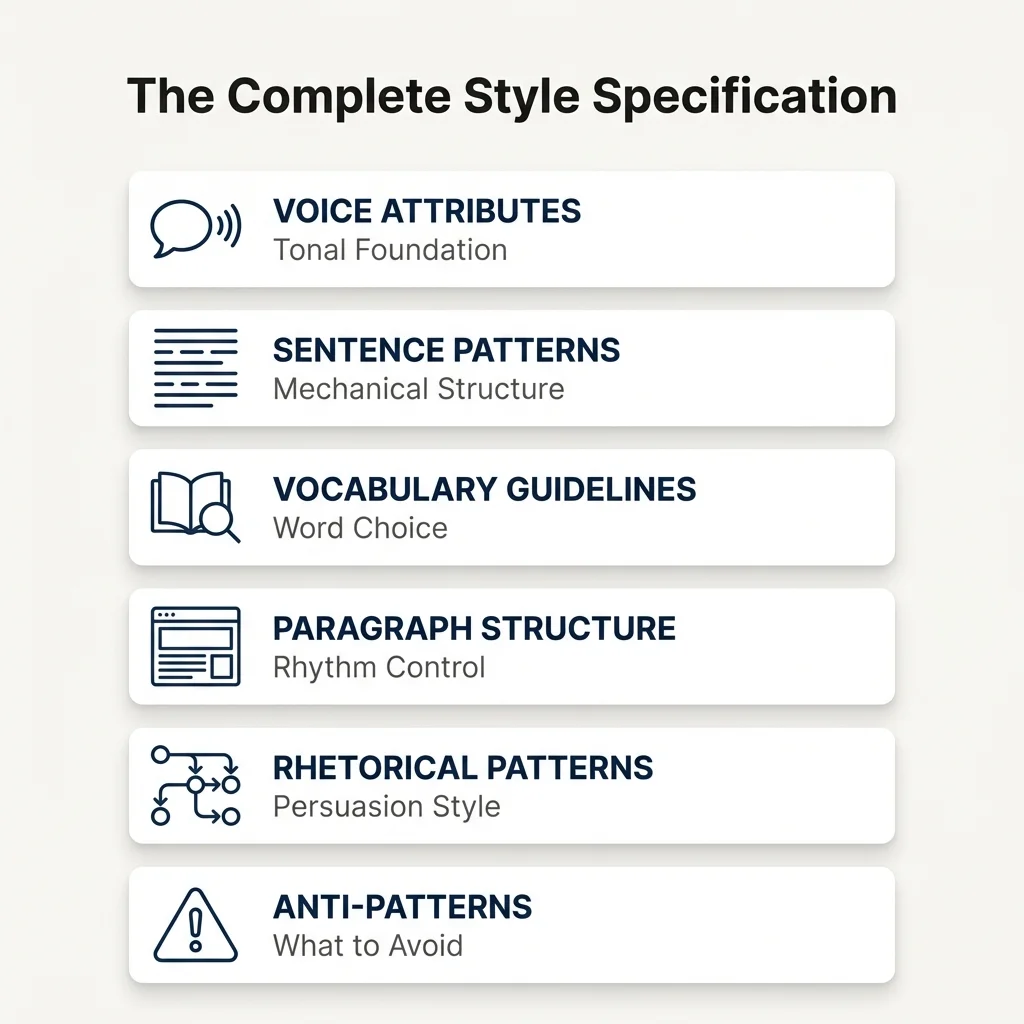
The Six Parts of a Style Spec
A style spec is more than a list. It is a rule set. It covers tone, form, and word choice. Think of it as a style guide plus a manual.
1. Voice (Tone)
This part sets the core feel of our prose:
How Formal: Where we fall on the casual-to-formal scale
Example: "Warm but pro. Uses short forms. Skips jargon."
How We Show Skill: Cite facts, not our resume
Example: "Proof-based. Cite research, not credentials."
Tone with Readers: Peer-to-peer, not teacher-to-student
Example: "We talk with readers, not at them."
2. Sentence Form
This part logs our sentence habits:
Average Length: From our analysis (e.g., 15-20 words)
Mix: Simple, compound, and complex types
Example: "Mostly plain statements. Few fragments. Not many questions."
Marks: Dashes, colons, commas, and so on
3. Word Choice
This part maps our word habits:
Words We Use: Terms we pick most often
Example: "Say 'framework' not 'paradigm.' Say 'approach' not 'method.'"
Words We Skip: Buzzwords and clichés
Example: "Never: synergy, leverage, game-changer, deep dive"
How Concrete: Concrete terms or abstract ones?
4. Layout
This part sets how we shape our text:
Block Length: How long each block is (e.g., 3-5 lines)
Flow: How we order longer pieces
Example: "Problem, then proof, then fix, then use"
Bridges: Do we use clear linking words or let ideas flow on their own?
5. Rhetorical Moves
This part shows how we build our case:
How We Start: Lead with the problem, or define terms first?
Example: "Start with the real-world problem, not theory"
How We Use Proof: Weave it in or cite it formally?
Example: "Say 'Studies show X.' Not 'Smith (2020) found X.'"
What We Never Do: Moves we always skip
Example: "Never say what comes next. Just write it."
6. Sample Text (With Notes)
Add 2-3 excerpts with notes on what makes them "us":
[SAMPLE PASSAGE]
"The problem with most AI writing advice? It assumes writers want to sound
like everyone else. But distinctive voice isn't a luxury; it's the
difference between content people skim and content they remember."

[ANNOTATIONS]
- Opening question for engagement (use sparingly)
- Immediate answer (no suspense-building)
- Rhetorical contrast ("not X, but Y")
- Concrete outcome focus (remember vs. generic "engage")
- Sentence variety: 7 words, then 17 words
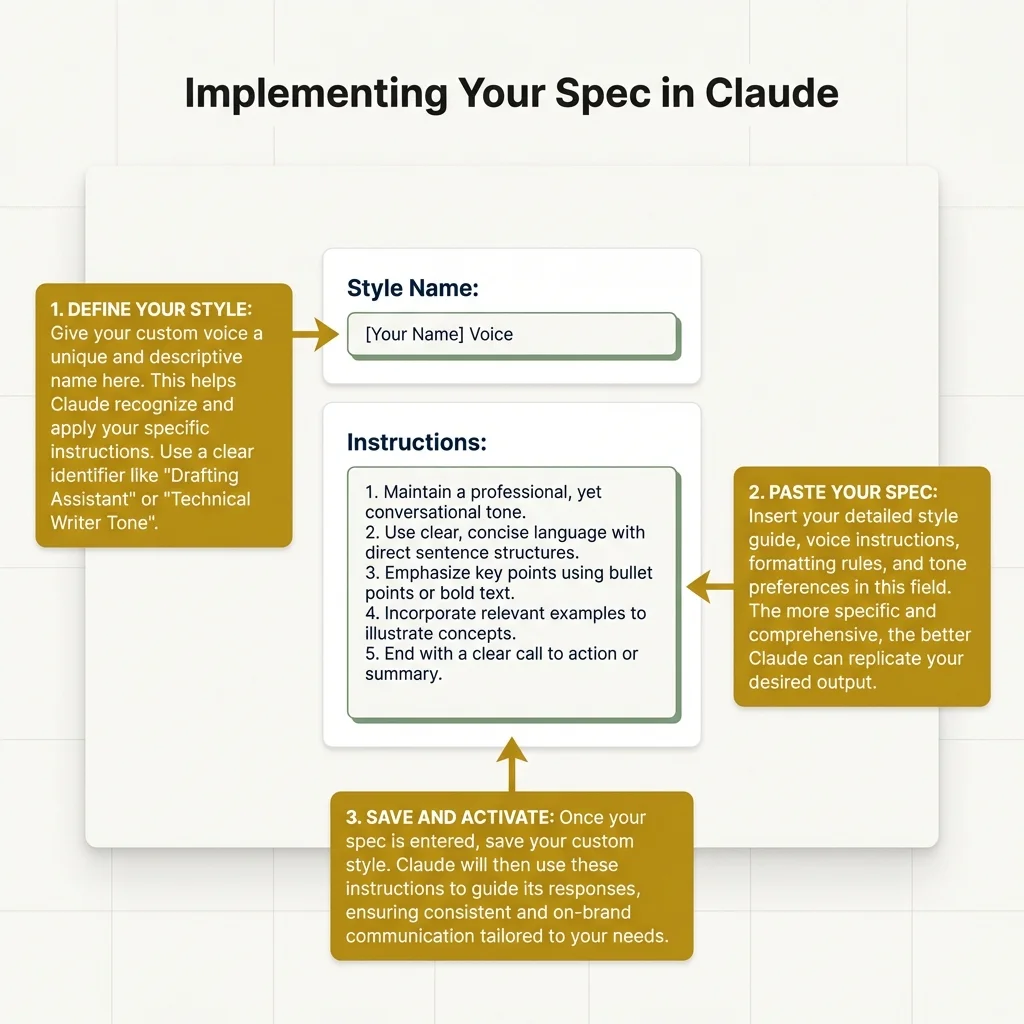
Setup: Claude Custom Styles
Claude has a clean way to save style specs.
Step 1: Prep the Spec
Before we paste it in, make sure it is:
- Full: All six parts done
- Clear: Real samples, not vague notes
- Short: 2-3 pages max (AI has input caps)
Step 2: Access Custom Styles
- Open Claude.ai or Claude desktop app
- Navigate to Settings → Custom Styles
- Click "Create New Style"
Step 3: Add the Spec
Pick a clear name (e.g., "Pro_Analysis_Voice"). Format it for AI:
VOICE ATTRIBUTES:
- Formality: Professional but approachable; uses contractions
- Authority: Evidence-based, not credential-based
- Reader relationship: Peer collaboration

SENTENCE PATTERNS:
- Average length: 18 words
- Variety: Mix declarative with occasional fragments for emphasis
- Punctuation: Semicolons for related ideas; em-dashes sparingly

VOCABULARY:
- Prefer: framework, approach, patterns, specific
- Avoid: synergy, leverage, paradigm, game-changer
- Level: Educated general audience, minimal jargon

STRUCTURE:
- Paragraphs: 3-5 sentences
- Organization: Problem → Evidence → Solution
- Transitions: Implicit flow over explicit connectors

RHETORICAL MOVES:
- Introductions: Lead with reader's problem
- Evidence: Integrated, not cited formally
- Never: Announce structure, use rhetorical questions excessively

SAMPLE (annotated):
[Include strongest example with annotations]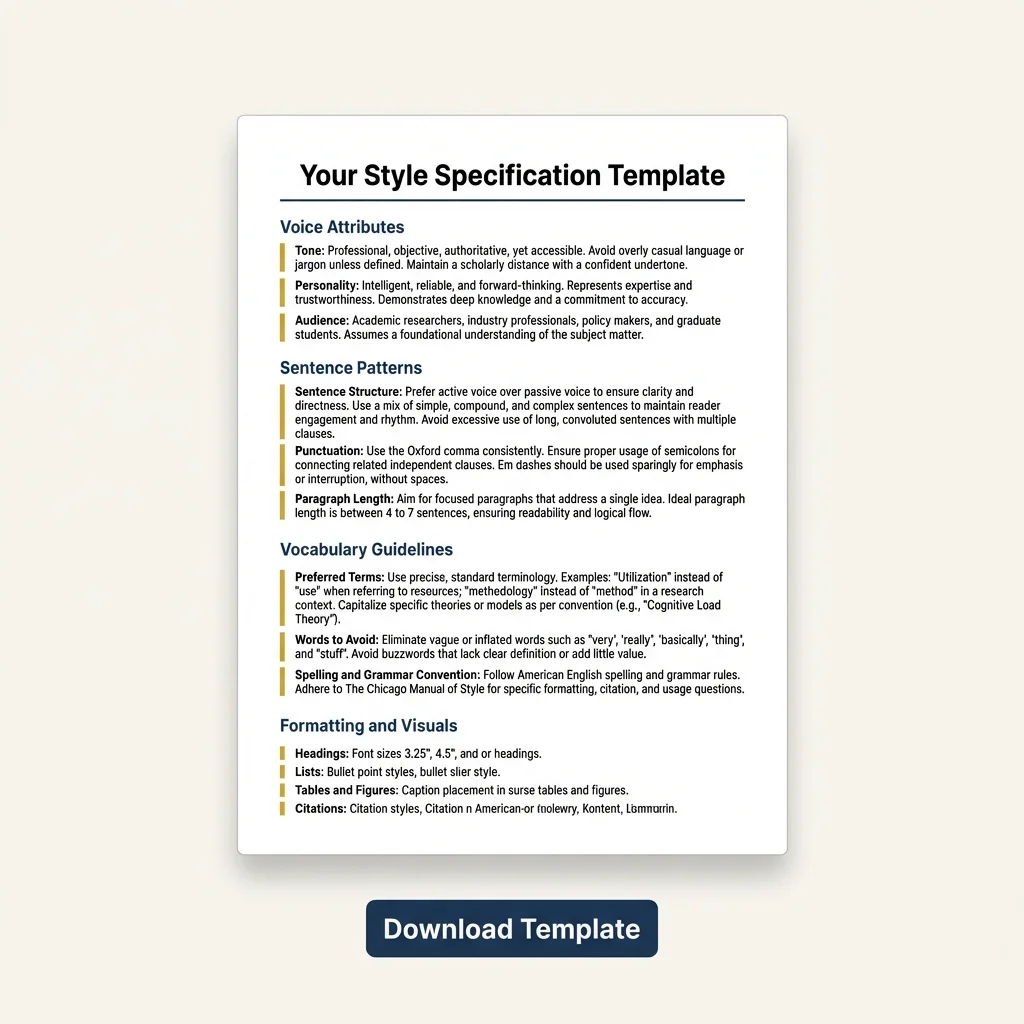
Step 4: Test It
Write 3-5 test pieces. Check each one:
- Do sentence lengths match ours?
- Are the right words used?
- Does the layout feel right?
- Does it sound like us?
Step 5: Refine
Fix what went wrong:
- Too formal? Add casual samples.
- Wrong words? Grow the word lists.
- Bad layout? Add more layout rules.
Log each miss. When AI keeps failing at one thing, add a rule for it.
Setup: ChatGPT Custom Rules
ChatGPT uses two text fields, not named styles. The idea is the same. We just split the spec in two.
"What should ChatGPT know?"
Put in:
- What we write and for whom
- Our voice and tone
- Key word picks
"How should ChatGPT respond?"
Put in:
- Sentence length rules
- Layout and flow rules
- Rhetorical moves and bans
- One sample with notes
Note: ChatGPT has a stricter text cap than Claude. We may need to keep only the most unique parts of our voice.
Claude vs. ChatGPT
Tests on both platforms show different strengths:
| Claude Strengths | ChatGPT Strengths |
|---|---|
| Keeps complex sentence forms | Sticks to word lists well |
| Holds tone well | Good at layout rules |
| Reads long specs without cutting off | Good at fixed patterns |
| Styles save across chats | — |
Both struggle with:
- Subtle voice traits that are hard to spell out
- Style shifts based on context
- Staying on track in long outputs
If our voice leans on rhythm and tone, Claude tends to do better. If our voice is more about set words and fixed layout, ChatGPT may work well.
Traps to Dodge
Too Vague vs. Too Strict
Too Vague:
"Be casual and fun"
Flaw: AI reads it a new way each time
Fix: "Use short forms 60-70% of the time"
Too Strict:
"Always use 15-word lines"
Flaw: Output sounds robotic
Fix: "Aim for 15-20 words. Range: 8-30."
Too Much vs. Too Little
Too Much:
A rule for every word choice
Flaw: AI can't rank what matters most
Fix: Cover only what is unique to us
Too Little:
Tone only, no form rules
Flaw: AI has no clear guide
Fix: Add both voice and form rules
Stale Specs
Our voice shifts. Our spec should too.
- Check it every few months
- Update after big style shifts
- Test against recent work, not old drafts
One Spec for All
Using one spec for all contexts is a trap:
- Flaw: Social posts sound like essays
- Fix: Make a few versions (Pro, Social, School)
- Keep our core voice. Adjust tone and layout.
- Grab our data: Pull the patterns from Article 2
- Fill all six parts: Voice, sentences, words, layout, rhetorical moves, and samples
- Pick a tool: Claude for tone. ChatGPT for word rules.
- Test 3-5 pieces: Write on different topics to check
- Fix what fails: Note each miss. Refine the spec.
What Comes Next
Article 2 gave us the data. This article gave us the spec format. Now we need a full workflow from idea to final draft.
Article 4 is about testing AI output. We look for where AI fails. Then we fix the spec. This feedback loop is the last piece.